Why two Atlanta businesses in the same industry can have completely different cybersecurity exposure
+
Table of Contents
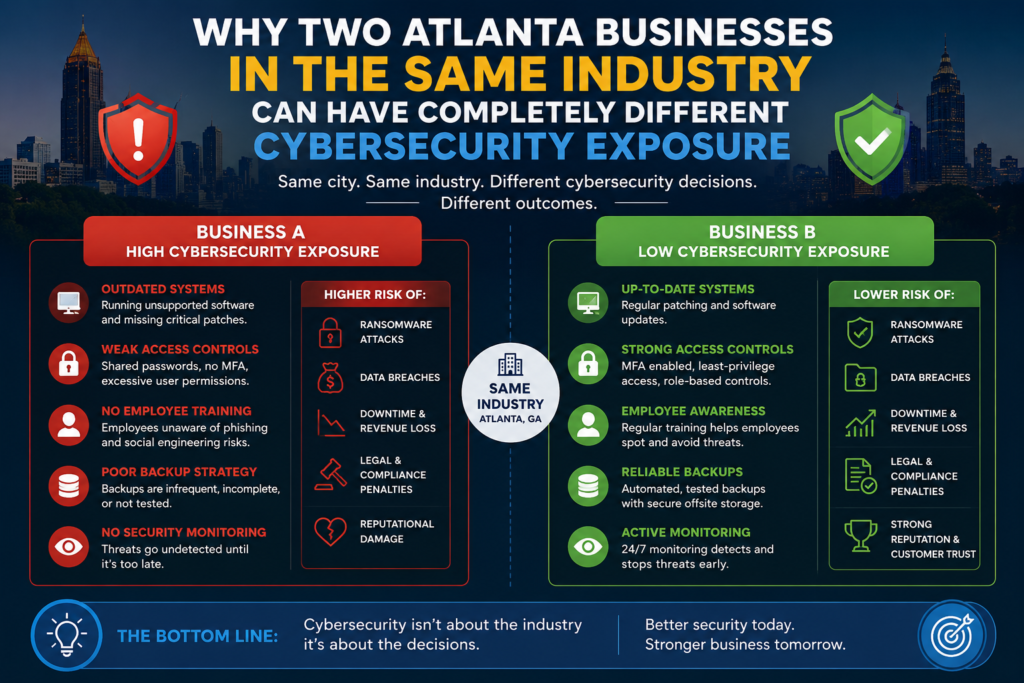
Two accounting firms. Same size, same general client base, same software stack. One gets hit with a ransomware attack that takes them offline for eleven days. The other doesn’t. When you dig into what actually separated them, it wasn’t the industry they were in or even the data they held. It was a series of operational and historical decisions — some made years earlier — that determined how exposed each firm was when attackers came looking.
This matters because most business owners assume their cybersecurity risk is defined by their industry. If they’re in healthcare, they worry about HIPAA. If they’re in finance, they think about SOC 2. But in practice, two businesses in the same industry with identical compliance certifications can sit at completely different ends of the risk spectrum. The compliance label doesn’t tell you much about the actual exposure.
What actually creates different exposure levels
The gap between two similarly-situated businesses usually comes down to a handful of factors that compliance frameworks don’t fully capture.
How long has their current IT environment been running without a full audit? An office that’s been adding hardware, users, software subscriptions, and remote access tools over five or six years without a formal review accumulates technical debt that creates real vulnerabilities. Shadow IT — software and services that individual employees sign up for outside of formal IT oversight — is almost always present in these environments. Each unsanctioned tool is a potential entry point, and most business owners have no idea how many exist until something goes wrong.
Whether their Microsoft 365 or Google Workspace environment was set up correctly from the start. Most small and mid-sized Atlanta businesses use one of these two platforms, and both have significant security configuration options that are either enabled by default, disabled by default, or somewhere in between,n depending on the version and setup. Multi-factor authentication, conditional access policies, audit logging, external sharing settings — these are all configurable. How they’re configured, and whether those configurations have drifted over time, can mean the difference between an attacker getting in through a compromised credential and being stopped at the door.
The extent to which employees have local administrator rights on their machines. This one comes up constantly. Giving employees admin rights is often done for convenience — it makes software installs easier, reduces helpdesk calls — but it also means that if an employee clicks on the wrong attachment, malware can execute with full system permissions. In environments where admin rights are properly restricted, the same click might result in a failed installation rather than a successful compromise.
The age and patching status of the endpoints in use. Older machines running outdated operating systems, or even newer machines where patches are months behind, are significantly more vulnerable than a well-patched environment. This sounds basic, but patch management at scale requires process and tooling that many businesses don’t have. A single unpatched machine running an RDP vulnerability is enough to give attackers a foothold.
The role of vendor and third-party access
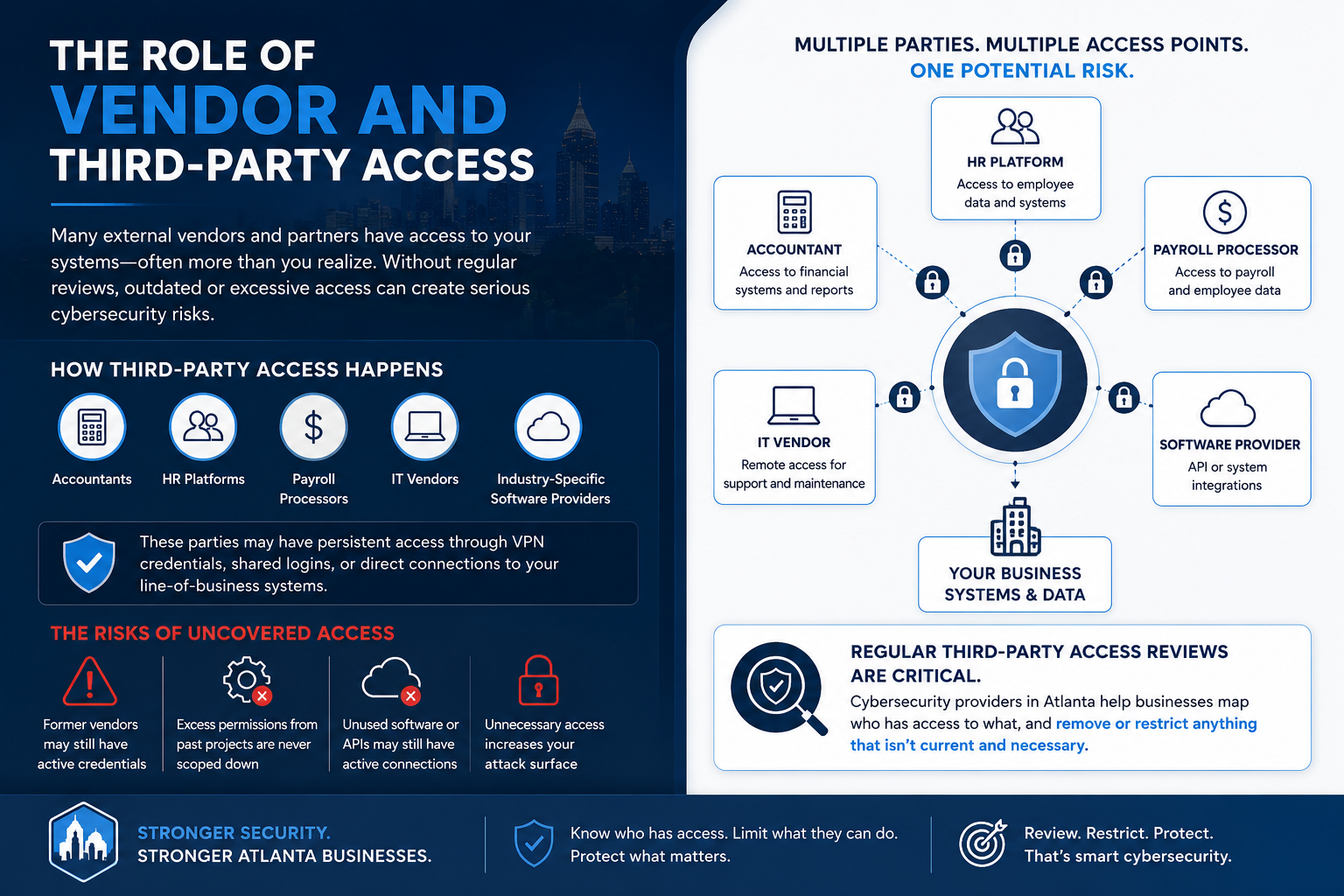
One factor that often gets underestimated is how many external parties have access to a business’s systems. Accountants, HR platforms, payroll processors, IT vendors, industry-specific software providers — many of these have some form of persistent access, whether through VPN credentials, shared logins, or direct connections into line-of-business software.
When a business hasn’t done a third-party access review recently, they frequently discover that former vendors still have active credentials, that access permissions granted during an integration project were never scoped down after the project ended, or that a software platform they stopped using two years ago still has an active API connection to their core systems.
This is one of the areas where providers of cybersecurity services that Atlanta businesses work with regularly spend a significant amount of time during onboarding — mapping out who has access to what and removing or scoping down anything that isn’t current and necessary.
Why history matters more than the current state
Two businesses might look nearly identical on a current-state review but have very different exposure because of decisions made three or four years ago. A company that went through rapid growth and brought on twenty employees in eighteen months, with IT set up reactively along the way, likely has an environment full of inconsistencies. Some users got properly onboarded; others didn’t. Some machines are domain-joined; others aren’t. Policies that were supposed to apply across the organization never got rolled out uniformly.
Compare that to a business of the same size that grew more slowly and had consistent IT oversight throughout. The second company’s environment is likely far more coherent, even if both businesses would describe themselves as having “the same” approach to IT.
What separates businesses that recover quickly from those that don’t
When a security incident does happen, recovery time isn’t just about how good the response is — it’s about what was already in place before the incident occurred.
- Businesses with tested, offsite backups that were verified recently can restore operations in hours or days, not weeks. The keyword here is “tested” — backup systems that haven’t been verified in six months frequently fail to restore correctly when they’re actually needed, which compounds the damage.
- Businesses with documented incident response procedures, even simple ones, make faster decisions under pressure because someone has already thought through the questions that need to be answered: who gets notified, who has authority to take systems offline, who calls the cyber insurance carrier, who handles client communication.
- Businesses with endpoint detection and response (EDR) tooling already deployed have visibility into what happened and when, which significantly reduces the investigation time and helps them contain the damage faster.
The difference between an eleven-day outage and a two-day outage rarely comes down to luck. It comes down to what was built before the attack and whether anyone had actually thought through the scenario in advance.