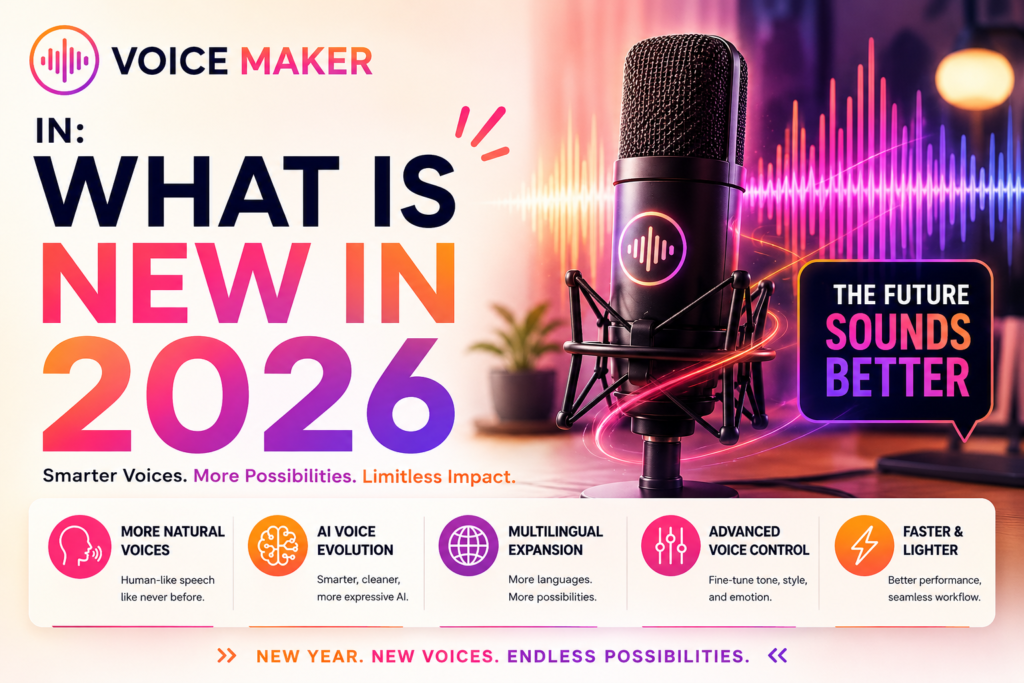
VoiceMaker.In: What is New in 2026
+
Table of Contents
- 1 What Are AI Voice Generation Tools?
- 2 Tool at a Glance
- 3 Features of VoiceMaker.in
- 3.1 Text-to-Speech
- 3.2 Speech-to-Speech
- 3.3 Voice Cloning
- 3.4 1500+ AI Voices
- 3.5 130+ Languages
- 3.6 AI Dubbing
- 3.7 API Access for Developers
- 4 Step-by-Step Guide to Using VoiceMaker.in
- 4.1 Create an Account
- 4.2 Select Language
- 4.3 Paste Script
- 4.4 Choose Voice
- 4.5 Generate Speech
- 4.6 Download Audio
- 4.7 Pricing Guide
- 4.7.1 Free Plan
- 4.7.2 Basic Plan
- 4.7.3 Premium Plan
- 4.7.4 Audiobook Pack
- 4.7.5 API Plan
- 4.8 Advantages of VoiceMaker.in
- 4.9 Disadvantages of VoiceMaker.in
- 4.10 Alternatives to VoiceMaker.in
- 5 Quick Summary
These voices are now becoming very common to hear. People mostly used real human voices because AI voice technology was not available in the past. But AI-generated voices have also become extremely popular as artificial intelligence has grown.
VoiceMaker.in is one of the leading names in this field. It provides AI voice generation services and has gained popularity in the market. I have personally used this tool and achieved very impressive results.
Before knowing more about this platform, take a look at what AI voice generation tools actually are.
What Are AI Voice Generation Tools?
The tools that use AI to issue voices are called voice generation tools. You can provide text prompts to create speech. And they can also record their own voice for refinement. The main purpose is to generate machine voices that sound similar to real human voices. Scientists have become very successful in this area over the years.
There are many tools available in the market that offer such services. The tool I am discussing today is VoiceMaker. I personally used it and found that it offers many features.
What Is VoiceMaker.in?
This tool was launched in July 2021 and has now become one of the top AI voice generation platforms in the market. Many agencies and production houses are using it regularly. The voices generated by this tool sound extremely natural and human-like. I have personally noticed that many cartoon characters and animated videos now use voices generated through this platform.
Tool at a Glance
| Official Website | https://voicemaker.in/ |
| Features |
|
| Free Plan | Available |
| Paid Plan | Basic ($5 per month)
Premium ($10 per month) Audiobook Pack ($25 per year) API Plan (Pay as per usage) |
Features of VoiceMaker.in
Text-to-Speech
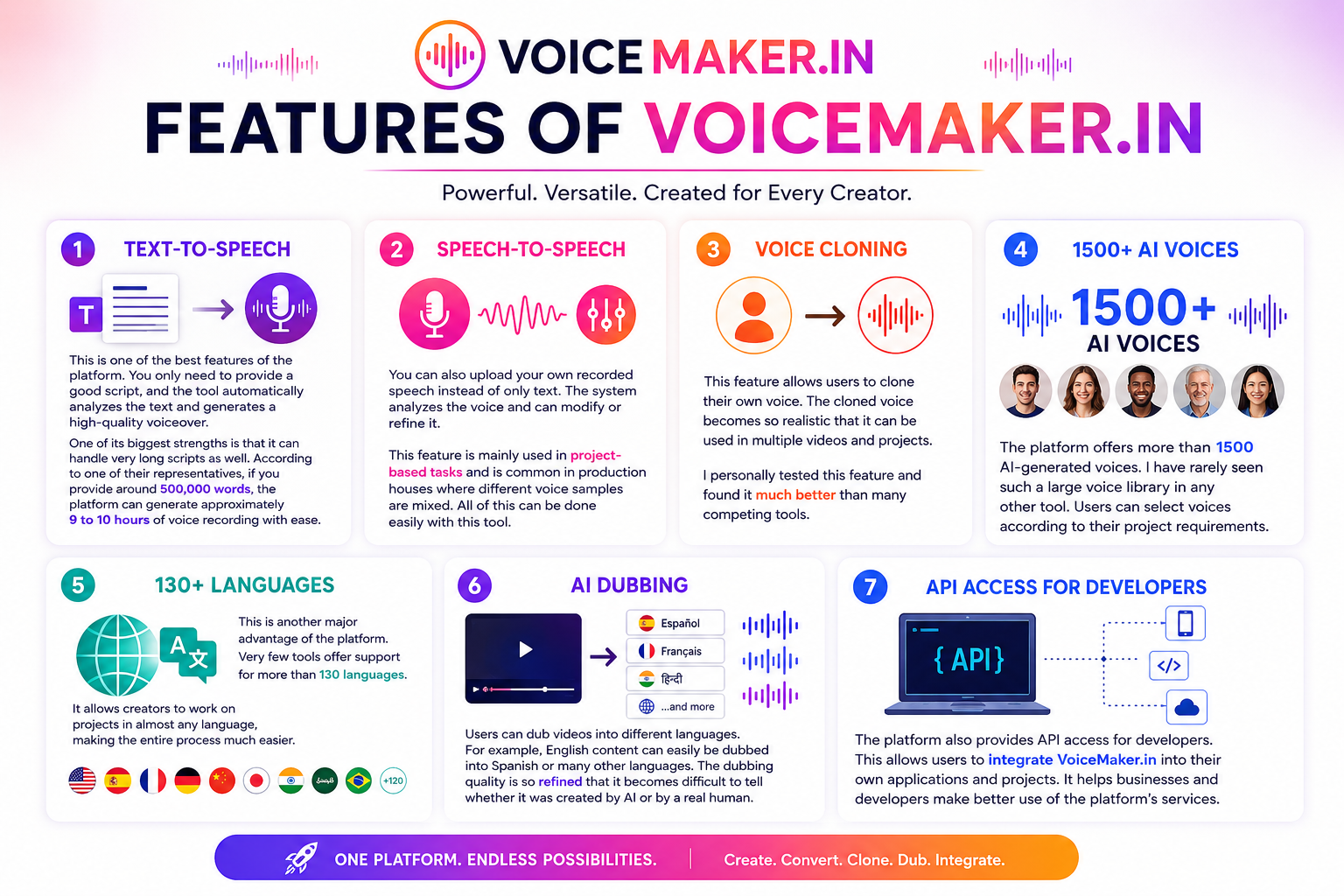
This is one of the best features of the platform. You only need to provide a good script, and the tool automatically analyzes the text and generates a high-quality voiceover.
One of its biggest strengths is that it can handle very long scripts as well. According to one of their representatives, if you provide around 500,000 words, the platform can generate approximately 9 to 10 hours of voice recording with ease.
Speech-to-Speech
You can also upload your own recorded speech instead of only text. The system analyzes the voice and can modify or refine it. This feature is mainly used in project-based tasks and is common in production houses where different voice samples are mixed. All of this can be done easily with this tool.
Voice Cloning
This feature allows users to clone their own voice. The cloned voice becomes so realistic that it can be used in multiple videos and projects. I personally tested this feature and found it much better than many competing tools.
1500+ AI Voices
The platform offers more than 1500 AI-generated voices. I have rarely seen such a large voice library in any other tool. Users can select voices according to their project requirements.
130+ Languages
This is another major advantage of the platform. Very few tools offer support for more than 130 languages. It allows creators to work on projects in almost any language, making the entire process much easier.
AI Dubbing
Users can dub videos into different languages. For example, English content can easily be dubbed into Spanish or many other languages. The dubbing quality is so refined that it becomes difficult to tell whether it was created by AI or by a real human.
API Access for Developers
The platform also provides API access for developers. This allows users to integrate VoiceMaker.in into their own applications and projects. It helps businesses and developers make better use of the platform’s services.
Also Read- PlayHT AI: Complete Review 2026
Step-by-Step Guide to Using VoiceMaker.in
This tool is very easy to use. You do not need any technical knowledge to get started.
Create an Account
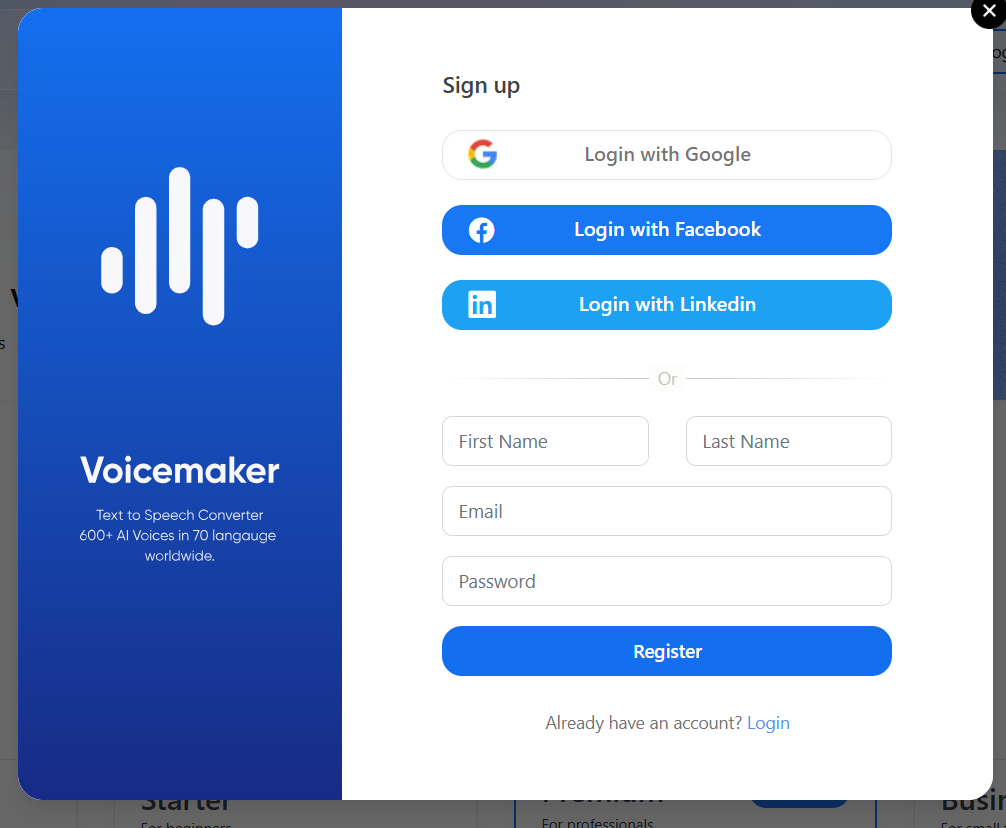
First, you need to create your account. Open the website, and on the homepage, you will see the login/sign-up option. Click on it and follow a few simple steps. The platform will ask for some basic information and then create your account.
Select Language
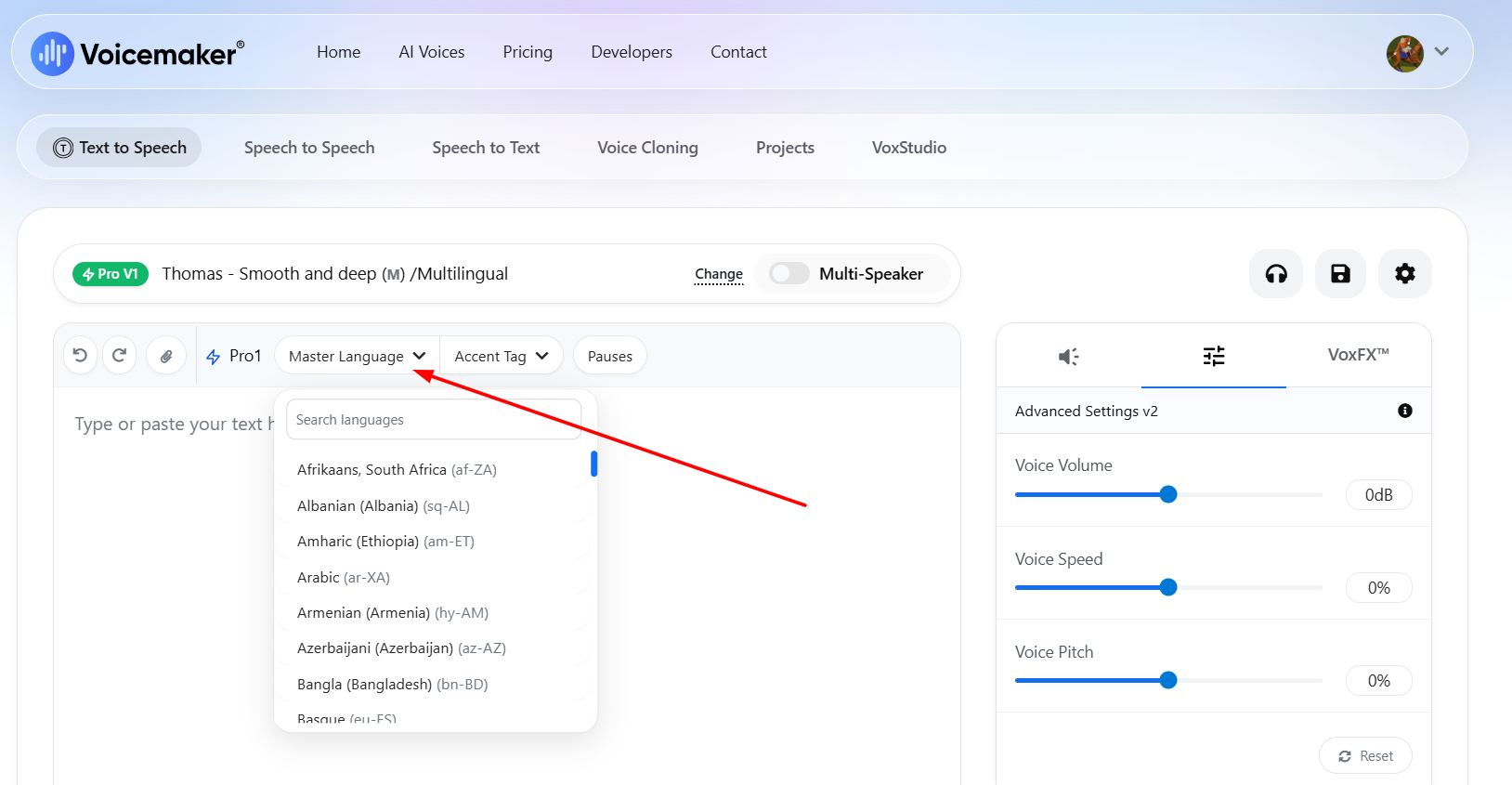
You can choose any language according to your needs. For example, if you want content in English, simply select the English language and start your project.
Paste Script
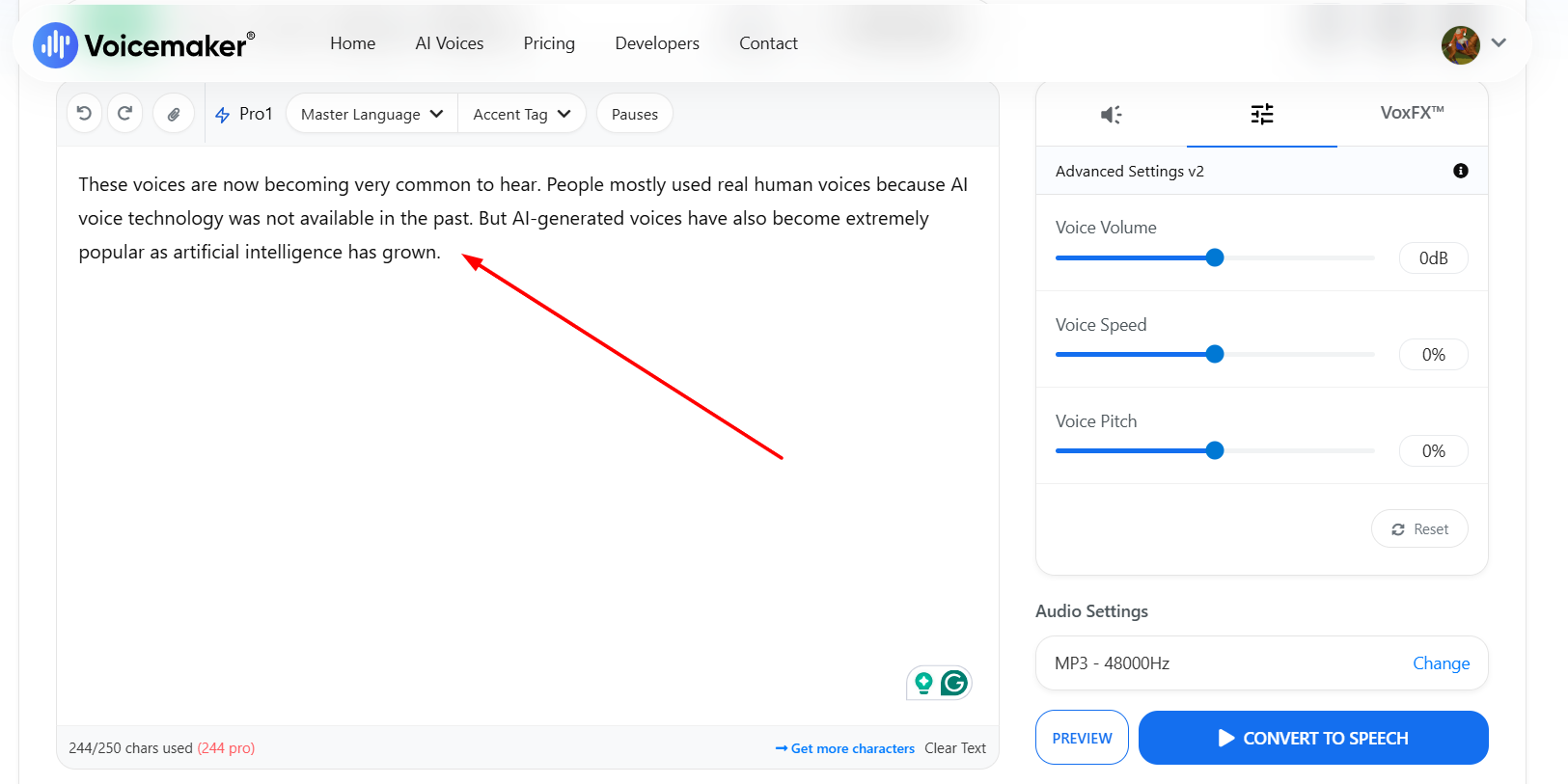
On the first page, you will find the option to paste your script. Simply paste your written script there and generate the voice. It is a very simple tool to use.
Choose Voice
After pasting your script, the platform provides different voice options. You can customize and select voices according to your project requirements and choose the one that best suits your content.
Generate Speech
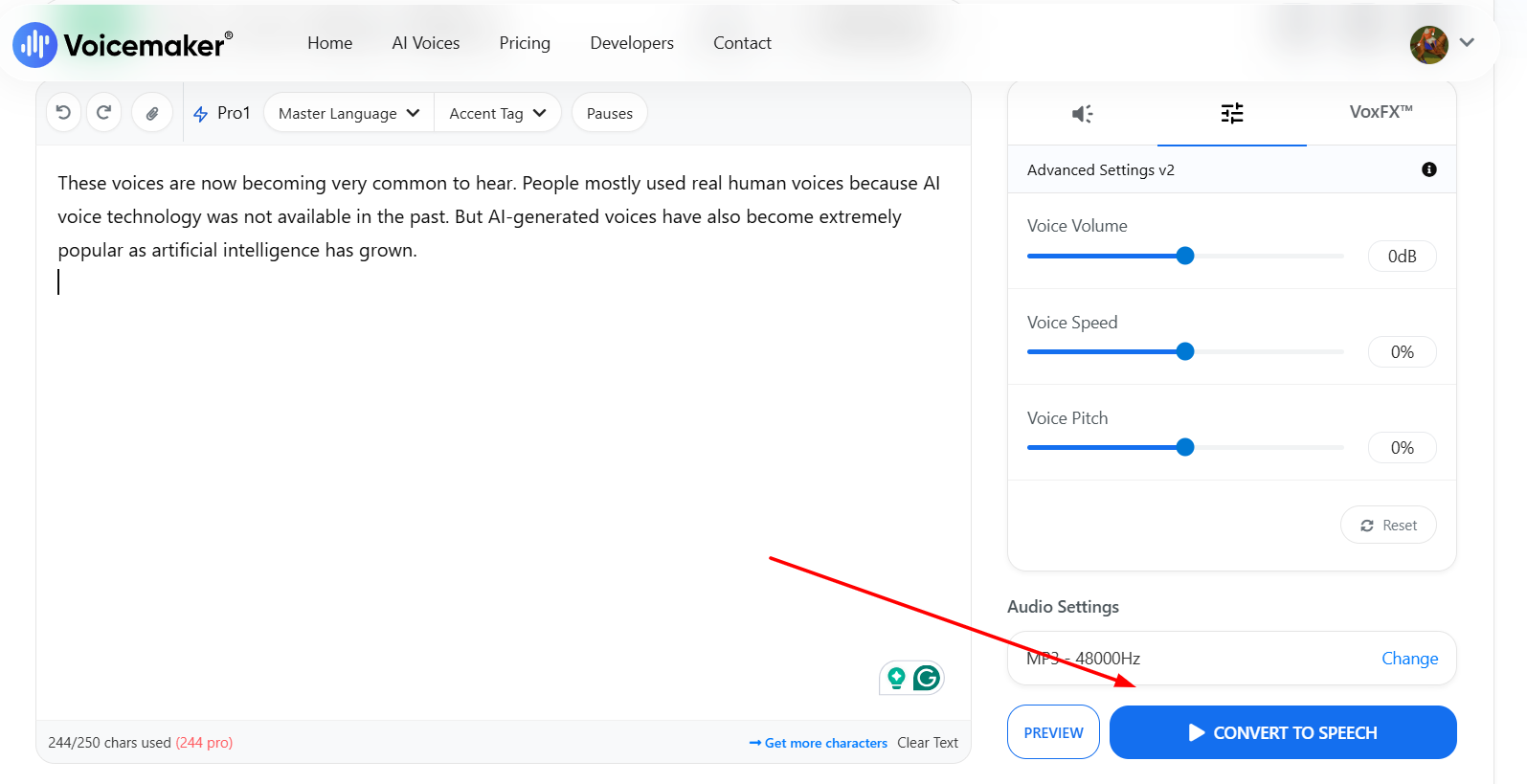
Once you complete all voice settings, simply click the “Generate” button. The tool will create a high-quality voice according to your project requirements. The process is very simple, and you do not need to deal with any technical complexity.
Download Audio
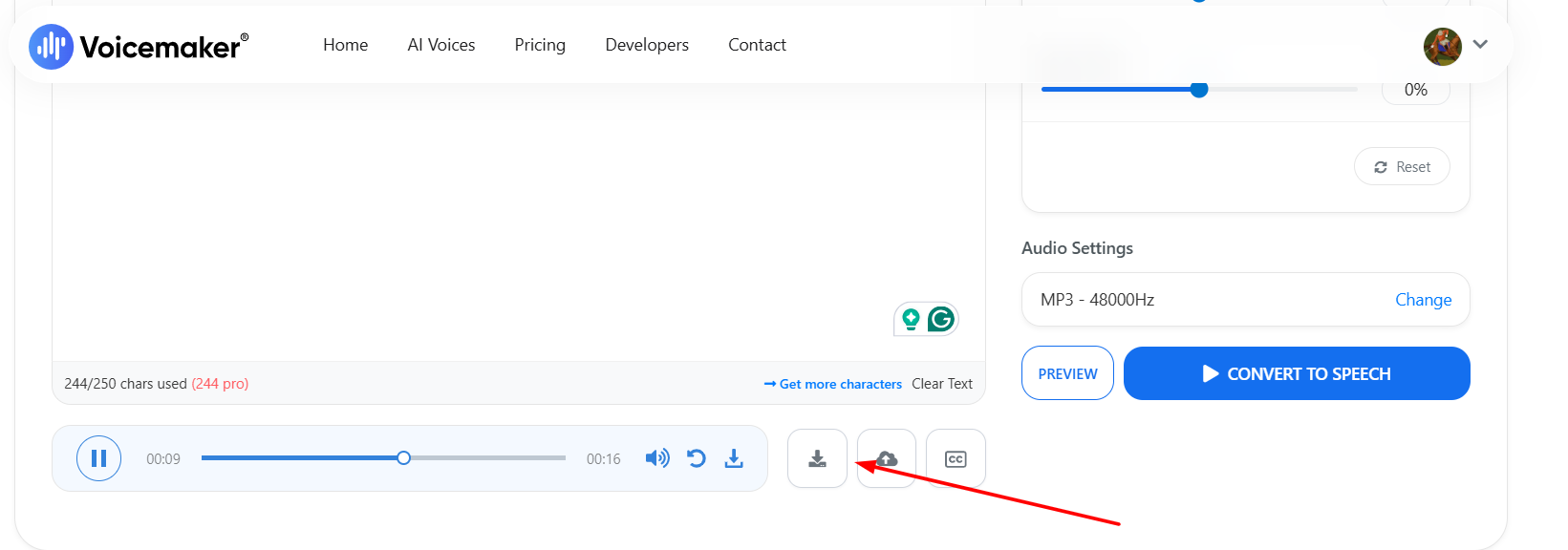
Finally, you can download your project audio file. However, this option is only available in the paid plans. The free plan does not provide the audio download feature.
Pricing Guide
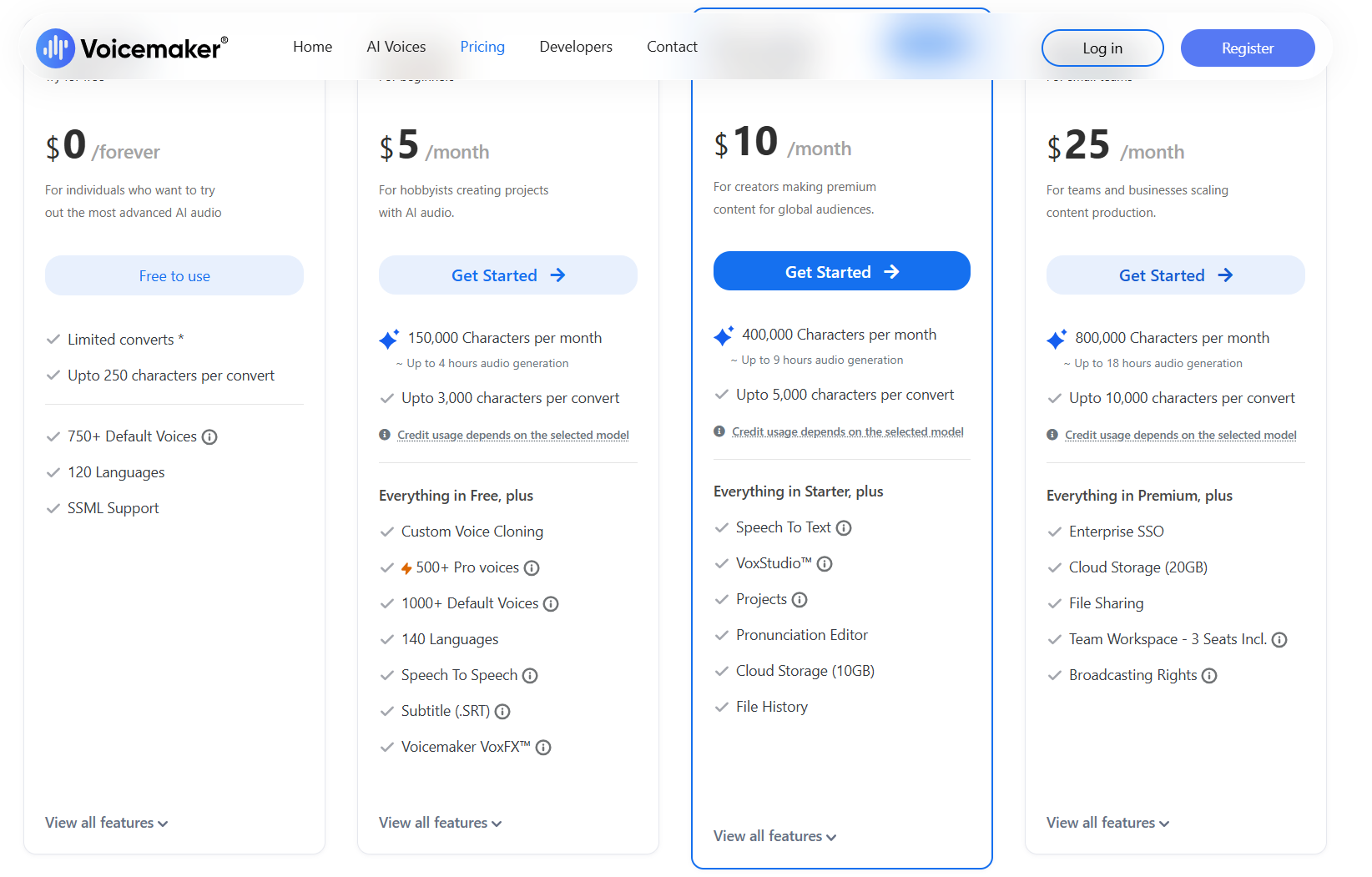
Free Plan
The platform offers a free plan for users. Although it has limited usage, it is ideal for beginners. Users can generate text-to-speech content with up to 250 characters.
Basic Plan
The Basic Plan costs around $5 per month. It offers much higher limits compared to the free version and provides around 200K characters per month for text-to-speech usage.
Premium Plan
The Premium Plan costs around $10 per month. It offers approximately 500K characters per month for text-to-speech and also includes 10GB cloud storage.
Audiobook Pack
This feature can be unlocked for around $25 per year. It provides up to 1 million characters per year for text-to-speech, which is generally enough for audiobook recording projects.
API Plan
These are customizable plans mainly designed for large production houses and businesses. Users pay according to the services they use. The API plan supports large-scale text-to-speech generation and integration with personal applications.
Advantages of VoiceMaker.in
There are many advantages to using this platform. In my opinion, adapting to new technology is always a smart decision. In the past, production houses depended completely on real human artists for voiceovers. This process was expensive and required professional recording equipment. Overall costs were higher, and the process was slower.
VoiceMaker.in has made these tasks much easier. By purchasing a subscription plan, users can generate unique voices in different languages and tones according to their needs.
Disadvantages of VoiceMaker.in
Like every technology, this platform also has some limitations. In my opinion, the biggest drawback is emotional expression. Real human voices naturally carry emotions, while AI-generated voices still cannot fully match that emotional depth. Human involvement is still important for highly emotional projects.
In addition, machine-generated voices may sometimes contain errors, especially when processing large amounts of text-to-speech content.
Alternatives to VoiceMaker.in
VoiceMaker.in is not the only tool in the market. Many other platforms also provide AI voice generation services. I have personally used several alternatives, and each has its own strengths and unique features that attract users in different ways.
- Murf AI
- PlayHT
- ElevenLabs
- Speechify
- LOVO AI
Quick Summary
Technology is advancing faster than we can even imagine. It has achieved remarkable success in the world of voice generation. In my opinion, using AI voice generation tools has now become very important because they can significantly reduce production costs. They also provide features that are difficult to achieve even with real voice artists.
Production houses are now using these tools extensively. Surprisingly, the content created through these AI voice generators has become so realistic that it is sometimes difficult to tell whether it was produced by a machine or by a real human.
FAQs
-
Can I Use VoiceMaker.in for Commercial Projects?
Yes, absolutely. The voice content is commercially licensed. You do not have to worry about copyright issues. You will be the owner of the content that you produce.
-
Does This Tool Support Mobile Devices?
Yes, it also supports mobile devices. You can generate AI voices directly from your smartphone. The process is almost the same as using it on a laptop.
-
How Accurate Is the Voice Cloning Feature?
I have personally experienced this feature, and it is very realistic. You can easily generate voice that sounds very similar to your own voice.
-
Do I Need High-End Hardware to Use VoiceMaker.in?
No, not at all. Just use your normal laptop. All you have to buy subscription. It all depends on your subscription plan, not hardware.