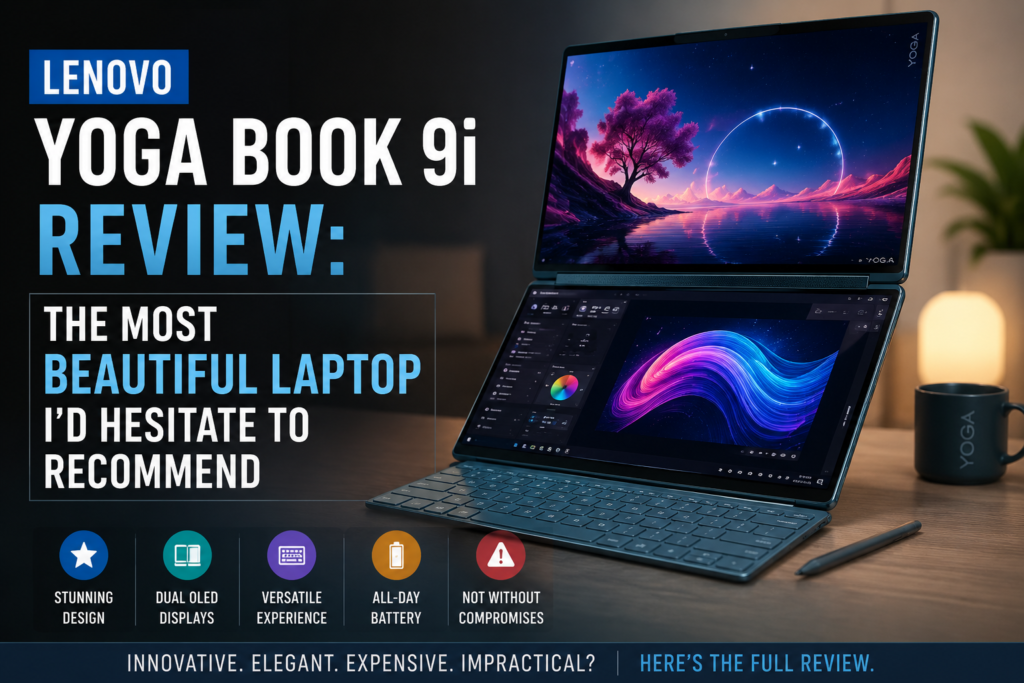
Lenovo Yoga Book 9i Review: The Most Beautiful Laptop I’d Hesitate to Recommend
+
Table of Contents
- 1 Specifications of Lenovo Yoga Book 9i
- 1.1 Design and Build Quality
- 1.2 Dual-Screen Experience in Real Life
- 1.3 Keyboard, Trackpad, and Stylus: The Accessories Problem
- 1.4 Display Quality
- 1.5 Performance of Lenovo Yoga Book 9i
- 1.6 Battery
- 1.7 Lenovo Yoga Book 9i and ASUS Zenbook Duo
- 2 Pros and Cons of Lenovo Yoga Book 9i
- 3 Final Verdict
The Lenovo Yoga Book 9i is a dual-screen convertible laptop that throws away the idea of a regular keyboard deck and brings in a second full OLED touchscreen. You don’t get one display but two stacked, side-by-side, or even in portrait orientation, depending on your working style.
Lenovo made this one for professionals who can hardly live without having multiple windows open simultaneously: researchers, writers, analysts, and multitaskers who want dual-screen portable real estate without the inconvenience of carrying an external monitor. The Bluetooth keyboard, stylus, origami folio stand, and mouse are all packed together. To sum up, it is by far the most well-thought-out niche laptop on the market, and it is proud of it.
Quick Verdict
Rating: 8 out of 10
Best for: Multitasking professionals who prioritize design, portability, and the genuine productivity boost of dual OLED screens — and don’t mind paying a premium for it.
Not good for: Power users with heavy CPU demands, anyone reliant on USB-A or a headphone jack, or buyers looking for strong value at the $2,000+ price point.
Specifications of Lenovo Yoga Book 9i
| Specification | Details |
| Processor | Intel Core Ultra 7 255H (Gen 10, 2025) |
| RAM | 16GB LPDDR5x (upgradeable to 32GB) |
| Storage | 512GB SSD (upgradeable to 1TB) |
| Display | Dual 14-inch 2.8K OLED touchscreens, 750 nits (Gen 10) |
| Battery | 80Wh with full-day endurance claimed |
| Ports | 3x USB-C Thunderbolt 4 (no USB-A, no headphone jack) |
| Weight | Approx. 1.4 kg (3.08 lbs) |
| OS | Windows 11 Home |
| Starting Price | $2,080 / ~$2,180 (32GB + 1TB config) |
| Accessories Included | Bluetooth keyboard, Yoga Mouse, Lenovo Yoga Pen, Origami Folio Case |
Design and Build Quality
Right here is where Lenovo justifies its price tag, at least theoretically. Yoga Book 9i is really a lovely thing in a manner that few other laptops are.
The metal case is very thin, the lid shuts completely tightly without any gap, and the whole thing seems more like a piece of art than a work instrument. The soundbar hinge, taken from the top-of-the-range Yoga 9i, is a totally new feature. It unleashes four speakers at 8W combined, and the sound quality is clearly better than anything else in this form factor. When carrying it every day, the weight is only 1.4 kg, so light that you hardly notice it’s a dual-screen laptop.
Dual-Screen Experience in Real Life
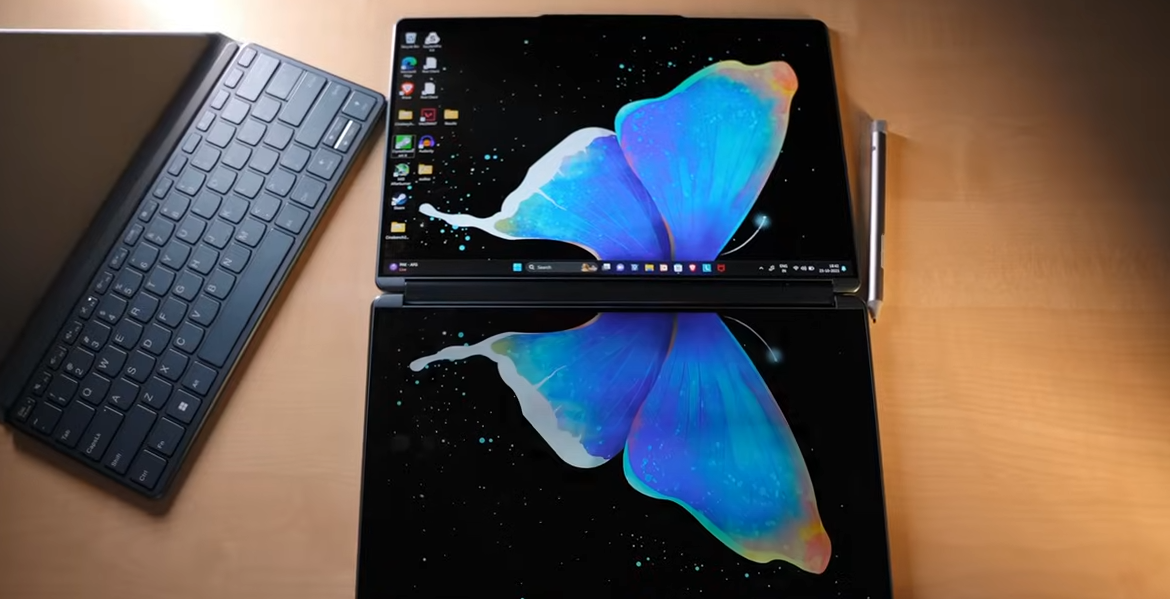
The first three days: really impressive. Having a reference document open on the bottom screen while writing on the top one seemed to be a productivity revelation I wasn’t aware of. Book mode, both screens vertical, side by side, is especially good for research-intensive work. Clamshell mode, where the keyboard is on the lower screen, is fine for regular typing.
On the fourth day, the excitement fades, and the actual problems emerge. The need to manually change modes shouldn’t be there, as it’s quite a hassle at this point. The touchscreen keyboard that appears on the lower screen in laptop mode is perfectly usable, but your muscle memory still tries to resist. It’s not broken; it just never really becomes natural.
Keyboard, Trackpad, and Stylus: The Accessories Problem
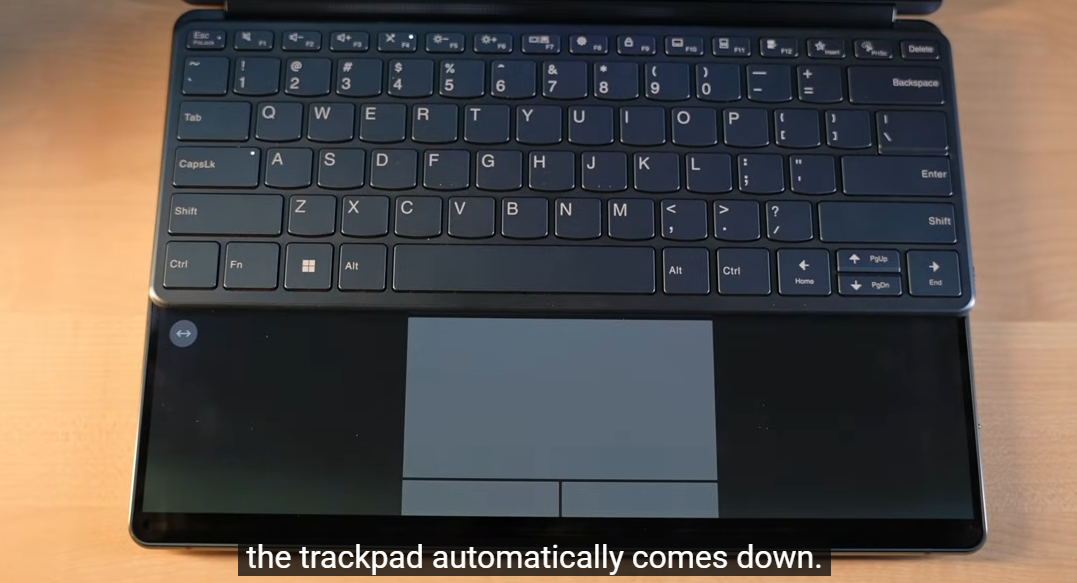
Finally, the Bluetooth keyboard on Gen 10 supports backlight, which is a big step up from last year. Key travel is 1.5mm, and the feeling is good enough for a small board. The problem is the trackpad, or rather, the absence of one. The virtual trackpad on the lower display is responsive but unsatisfying; there’s no physical feedback, and it gets tiring quickly.
Display Quality
Both the 14-inch 2.8K OLED touchscreens are truly great. The Gen 10 raises the brightness to 750 nits, an 88% increase over the previous generation, thus making outdoor use truly possible. Colour accuracy is deep without being overly saturated. Touch responsiveness is instant on both screens. The only legitimate issue is the mirror effect: with two glass surfaces, reflections in bright rooms are doubled. You can handle them; it’s not a dealbreaker, but it’s something to keep in mind before you make a decision.
Performance of Lenovo Yoga Book 9i

The Intel Core Ultra 7 255H is capable of dealing with all kinds of tasks without showing any sign of strain, including a few browser tabs, a bit of document editing, video calls, and a few photos here and there. It is not slow at all. The only time it really reveals its limitations is when it is being used for very long sequences of full-power operations, video rendering, handling huge data sets, or any task that requires the processor to run at maximum capacity for hours. Since this chip from the Lunar Lake family is mainly a low-power, efficient, daily multitasking processor, there’s no option for a high-power one.
Battery
I actually thought that would be the most disappointing aspect, but it didn’t turn out to be. The 80Wh battery easily lasted a whole day of work with both screens being used all the time, actual work, not a screen-off idle. However, both screens at full brightness, with Bluetooth keyboard and mouse, will obviously cause the battery to run out much faster.
Also Read- Acer Aspire 7 A717-72G Review: What I Noticed After Using It as a Budget Gaming Laptop
Lenovo Yoga Book 9i and ASUS Zenbook Duo
I like the Yoga Book 9i the most. As far as the Zenbook Duo is concerned, I would suggest it to most of the people. The latter retails at $500 less, has more ports, possesses a built-in touchpad on its keyboard, and is nearly on par with the Yoga Book in terms of OLED dual-screen performance.
In terms of design, audio, weight, and the quality of its hinge movement, the Yoga Book is ahead.
So, if good looks and portability are your deciding factors, choose Lenovo. However, if you are after value and day-to-day practicality, then that would be ASUS. Both are indeed excellent machines. However, only one offers great value for money.
Pros and Cons of Lenovo Yoga Book 9i
| Pros | Cons |
| Dual 2.8K OLED touchscreens are genuinely stunning | Starts at $2,080 — significantly overpriced vs. competition |
| Premium build quality and elegant, slim design | Only 3 USB-C ports; no USB-A, no headphone jack |
| Soundbar hinge delivers excellent audio (8W, 4 speakers) | The virtual trackpad is frustrating in daily use |
| Lightweight at ~1.4 kg for a dual-screen device | Port blocked when using the stand in portrait mode |
| Full accessory bundle: keyboard, mouse, pen, folio case | Not built for heavy CPU workloads or creative production |
| Impressive all-day battery life with both screens active | Webcam placement is awkward in landscape and portrait modes |
Final Verdict
The Lenovo Yoga Book 9i is most definitely not a laptop that you just happen to buy. It is designed for a specific type of user—one who truly works across multiple screens, values design as much as functionality, and is willing to develop new habits around unconventional setups. If that describes you, you can expect it to perform in ways that no other laptop can. If you are still undecided, the fact that there are fewer ports, that the virtual trackpad does not function as you would like it to, and that you are paying more than $500 more than the Zenbook Duo is a very valid reason that could stop you. It would be unfair to you to ignore or deny the fact that this is a beautiful piece of equipment that comes with real compromises.
FAQs
-
Is the Lenovo Yoga Book 9i worth the price?
For a specific type of user — consultants, researchers, and content professionals who need portable dual screens — yes. For general users comparing it to the ASUS Zenbook Duo at $500 less with better ports, the value case is harder to make.
-
How long does the Lenovo Yoga Book 9i battery last with both screens on?
In real-world testing, the 80Wh battery consistently lasted a full working day with both displays active and standard productivity tasks running.
-
Can you use the Lenovo Yoga Book 9i without the Bluetooth keyboard?
Yes — both screens are fully touch-enabled, and a virtual keyboard loads on the lower display. For short tasks, it works, but for longer typing sessions, the lack of physical key feedback makes it fatiguing.