What Makes the Microsoft Surface Hub 2S Stand Out?
+
Table of Contents
- 1 Microsoft Surface Hub 2S: A Surface Hub That Is Smaller
- 1.1 Microsoft Surface Hub 2S: Using Modularity To Plan For The Future
- 1.2 Interactive Whiteboards Help People Work Together Better
- 1.3 Help With High-Definition Videos
- 2 Compatibility With Windows 10 And Support For Applications
- 2.1 Battery Power And Mobility
- 2.2 What Modularity Is And How It Works In Modern Workplaces!
- 2.3 Could The Surface Hub 2s Be The Most Essential Tool For Your Business At This Time?
- 3 Conclusion
In short
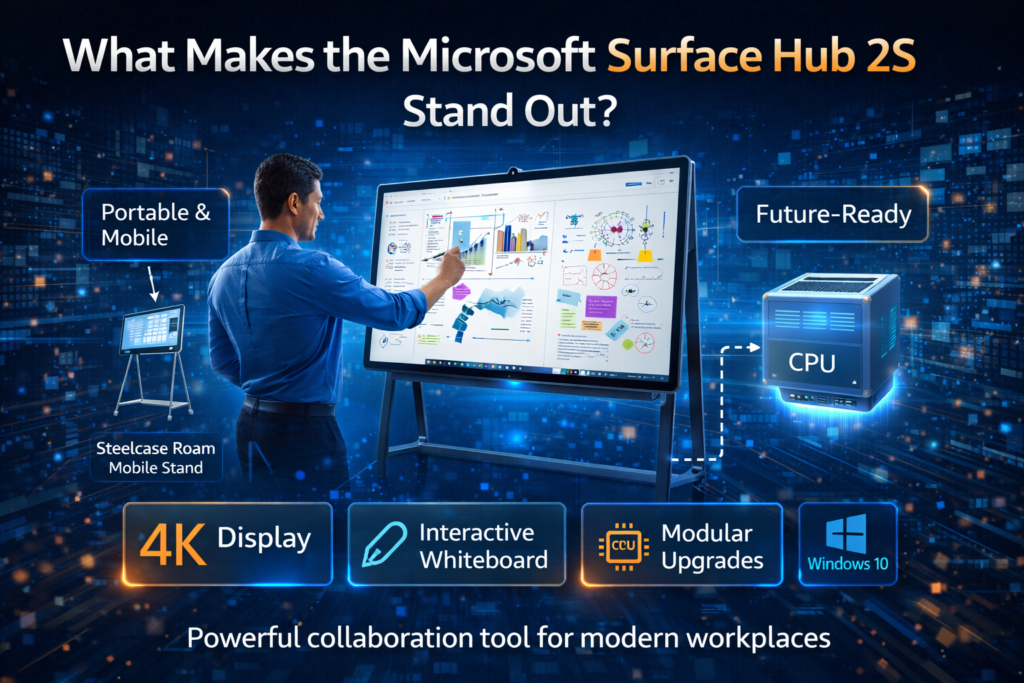
- The Microsoft Surface Hub 2S is thinner, lighter, and works with the Steelcase Roam Mobile Stand, which makes it easy to move around. It was made to be mobile and flexible.
- With its 4K screen, interactive whiteboard, and flexible upgrades, it’s a great tool for groups that need to work together.
- Thanks to technology that can work in the future, the Microsoft Surface Hub 2S will always be useful because the CPU can be replaced for future improvements.
Are you looking for a strong business collaboration solution that lets you work from anywhere, has advanced features, and lets you improve in stages? Microsoft Surface Hub 2S might be the best thing for you. The Microsoft Surface Hub 2S is a big step forward in business technology thanks to its better form, portability, and interactive features. That being said, does it really meet the needs of modern workplaces? We are going to take a close look at the style, performance, and features of the Surface Hub 2S to see if it is the best way for companies to work together.
Microsoft Surface Hub 2S: A Surface Hub That Is Smaller
The Microsoft Surface Hub 2S is better than the last version and is great for use on the go or in non- standard meeting rooms. The Surface Hub 2S is 40% thinner and 40% lighter than the original, which was mostly made for installation and came in 55-inch and 84-inch sizes. Because of its thin shape and portability, the Surface Hub 2S is ideal for fast-paced workplaces. For $8,999.99, the Microsoft Surface Hub 2S has a 50-inch screen with smaller edges that make more screen space possible. The Steelcase Roam Mobile Stand costs an extra $1,449.99 if you want to take your Surface Hub 2S with you wherever you go. For setups that will last longer, you can also buy a wall mount for $249.
Microsoft Surface Hub 2S: Using Modularity To Plan For The Future
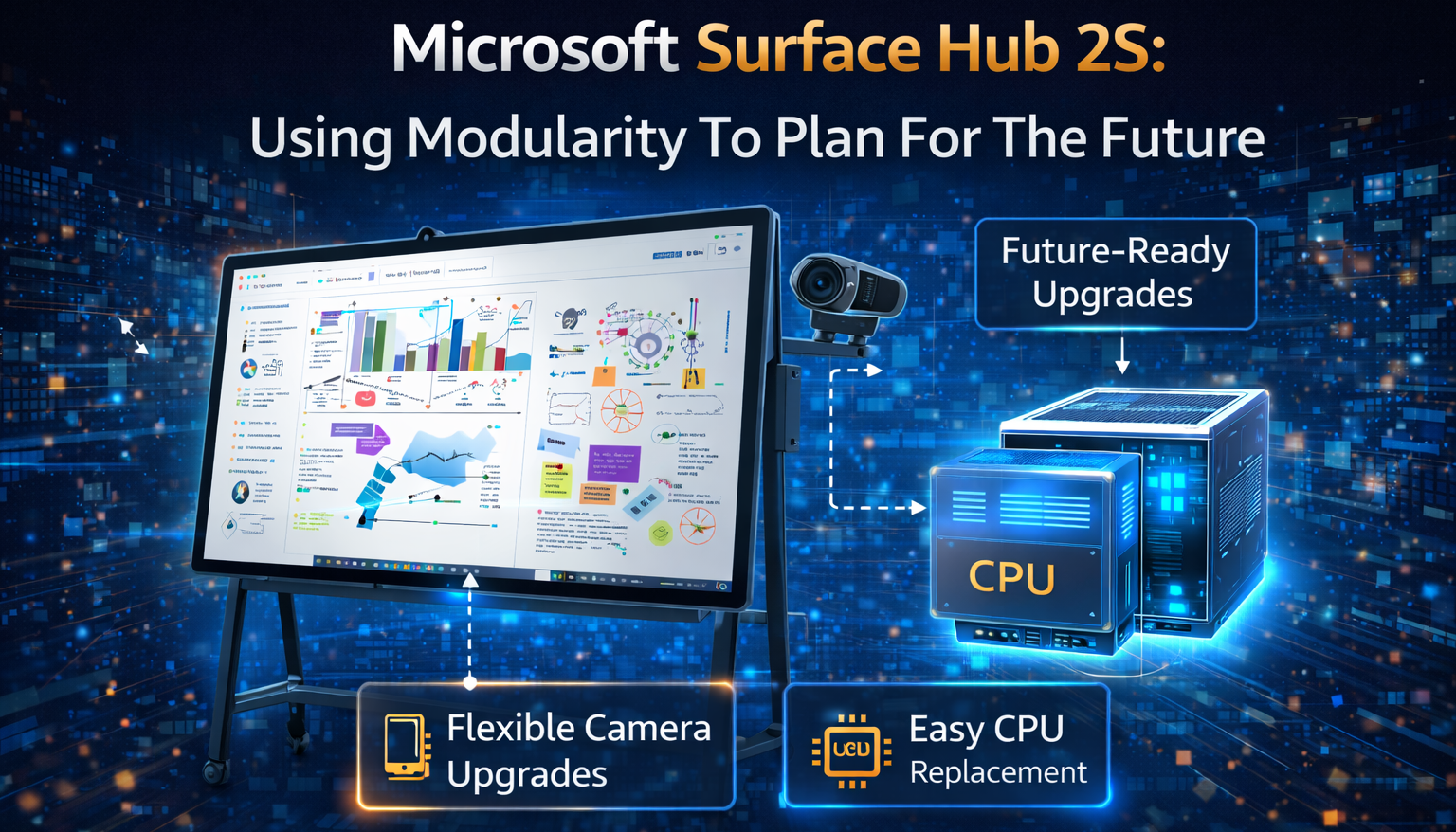
One thing that makes the Microsoft Surface Hub 2S stand out is that it is designed to be flexible. So, it will be easy for it to change to meet the wants of businesses in the future. When Microsoft made it, one of their goals was to make it simple to swap out the CPU. Instead of changing the whole unit, users can just swap out the Microsoft Surface Hub 2S Compute Cartridge, which works like an old video game cartridge. Because of this feature, businesses can save money on technology costs in the future. It also lets them update their Microsoft Surface Hub 2S without having to buy a whole new system. Since flexible 4K cameras can be connected via USB Type-C ports, they are easy to switch out as technology improves. Because it’s simple to add or change hardware, the Surface Hub 2S will be useful for a long time.
Interactive Whiteboards Help People Work Together Better
A big part of using the Surface Hub 2S is working with other people. Microsoft put significant effort into making sure the device has many features that make work easier and meeting participation better. The digital whiteboard lets groups draw, write, and take notes without having to look away from the screen. The Surface Hub 2S gives you almost unlimited room to think of new ideas, whether you’re improving a presentation or sketching out a plan. The screen can be tapped, pinched to zoom, and dragged, just like on a Surface Pro computer.
The Magic Wand feature also lets users turn any picture into a line drawing, which makes it easier to add graphics to slideshows. Experts who need to make full-colour graphics for their teams based on ideas or photos will really like this tool.
Help With High-Definition Videos
Video calling is simple and smooth with the Surface Hub 2S. The One-Touch Meeting Start feature, which lets users start calls or chats with just one touch, makes the user experience a lot better. The screen is obvious for video calls, even when there are many people on the other end (1080p quality). The Surface Hub 2S showed four people perfectly in 1080p quality in a test setting, making it a wonderful place for video conferencing.
With the 4K display, users can get to know meeting participants better and connect with them more. This improves telepresence. The clarity of the picture may cause users to feel more self-conscious as they can see everything on the large screen.
Compatibility With Windows 10 And Support For Applications
Users can run multiple apps at once on the Surface Hub 2S, which is powered by Windows 10. They can also tile these apps to make them work better. Excel and Microsoft Edge worked perfectly on a widescreen when they were tried. The device’s floating software keyboard makes it easier to edit documents and handle data because it lets you type quickly.
The fact that the device works with apps from the Microsoft Store makes it even more flexible. Businesses don’t have to worry about software options that don’t work with each other because the device supports existing software.
Battery Power And Mobility
The Surface Hub 2S can run for up to two hours on an extra battery pack from APC by Schneider Electric. This capacity makes it perfect for users who need to be more mobile. This battery extension might be useful for businesses that need to move the device around a lot. It’s simple to put under the Steelcase Roam Mobile Stand. You can work together with the Surface Hub 2S anywhere, like in a meeting room, a break-out room, or even outside, thanks to its 90-minute battery life.
What Modularity Is And How It Works In Modern Workplaces!
One type of flexible technology that is on the rise is the Surface Hub 2S. Microsoft and its partners, like Steelcase, have made modular office options because businesses want workplaces that can be changed more easily. The Steelcase Flex series includes desks that can be moved around, whiteboard panels, and dividers that can be used for different tasks in the office. Microsoft Surface Hub 2S and Steelcase’s modular furniture options are excellent if you want a stylish standing desk, a small place to work alone, or a flexible workspace.
Could The Surface Hub 2s Be The Most Essential Tool For Your Business At This Time?
There are many great features on the Microsoft Surface Hub 2S that can help businesses run meetings and work together. It’s a fantastic way for teams to work together because it’s built in modules, has a live whiteboard, and videoconferencing works well. It is a great long-term investment because it offers features that will work in the future, like the option to upgrade the computer cartridge. You might want to think about the price, too. The 50-inch size costs $8,999.99. Companies should look at the features and costs of different smartboards and collaboration tools that are on the market.
Conclusion
Are you ready for your company to work together more? The Microsoft Surface Hub 2S is a revolutionary tool that was made with the future in mind. It blends mobility, interaction, and cutting-edge technology. This device is perfect for businesses that want to stay ahead in the modern workplace because it has a high-quality screen, a flexible design, and works with Windows 10. Even though the price is important, the Surface Hub 2S is the best choice for companies that want to improve teamwork and communication.
FAQs
-
What makes the Surface Hub 2S better than other ways to work together?
The Surface Hub 2S is impressive because it is built in modules and has a 4K screen, an interactive whiteboard, and parts that can be updated, like the cameras and CPU. It is also made to work in the future. It can change to meet the needs of your business.
-
What if I can’t connect to the internet? Does the Surface Hub 2S still work?
For full use, like videoconferencing and cloud services, you need to be connected to the internet. The Surface Hub 2S does have some offline features, like the whiteboard and apps that you have loaded locally.
-
Is it easy to move the Surface Hub 2S?
You can take the Surface Hub 2S with you all the time. You can use the device for up to two hours without an outlet thanks to the APC battery pack. The Steelcase Roam Mobile Stand makes it easy to move from one room to another.